



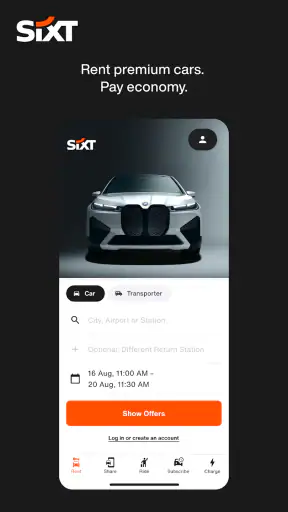
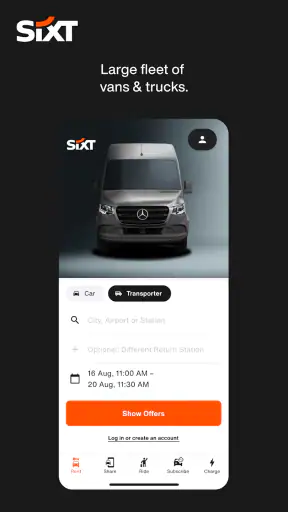
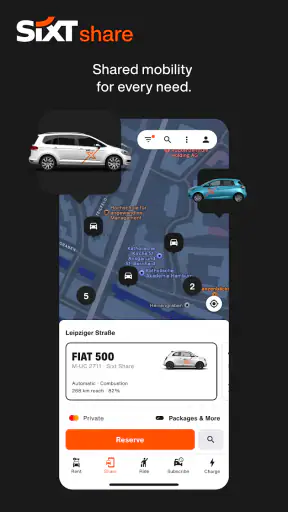
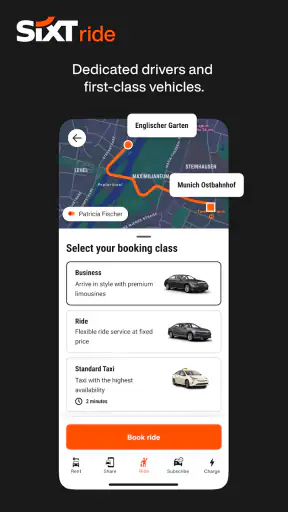
I found SIXT rent. share. ride. plus. most useful when I treated it as a travel toolkit rather than simply a car-rental app. It brings several ways of getting around into one place, including rental cars, car sharing, taxis and car subscriptions. That makes it especially practical when a trip does not follow one predictable pattern: perhaps I need a car for a day, a ride from the airport, and a different solution for a longer stay.
The app sits in the Travel & Local category and is free to install. It is developed by Sixt, carries an average rating of 4.9 from around 109 thousand ratings, and has passed 5 million installs. Those figures suggest that it has become a familiar option for people who want to arrange transport from a phone, but popularity alone is not enough for me. What matters is whether the app reduces the small points of friction that usually make travel stressful.
How I use SIXT from the first search to the final ride
A practical starting workflow for a normal trip
My preferred starting point is to decide what problem I am solving before opening the search screen. If I only need to move across a city, a taxi may be the sensible choice. If I want to visit several places over a day, a rental car is more appropriate. If I expect to need a vehicle repeatedly during a longer stay, the subscription option deserves a look. The app is at its best when I make that choice deliberately instead of browsing every option without a plan.
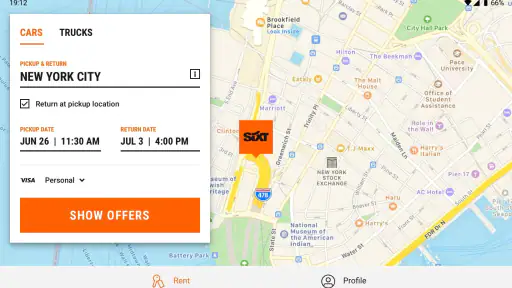
For a straightforward rental, I would enter the pickup location, choose the dates and times, and then compare the available vehicles. I pay close attention to the pickup area rather than just the city name. A car listed near an airport, railway station or downtown branch can lead to a very different arrival experience, even when the destination label looks similar. Checking the exact location before booking is one of the easiest ways to avoid an unpleasant surprise after landing.
I also review the return details before committing. A convenient pickup does not always mean a convenient drop-off, and travel plans can change between the outward and return journeys. I like to think through the last hour of the trip: where I will be, whether I can reach the return point without rushing, and whether a taxi or another ride would be simpler for the final leg.
For a taxi request, the workflow is naturally shorter. I enter the destination, check the ride information and request the journey. This is useful when I do not want to deal with parking or driving in an unfamiliar area. Still, I would not automatically choose a taxi for every airport transfer. If I have several bags, a late arrival or a destination outside the main urban area, I compare the practical convenience of a rental with the simplicity of being driven.
A realistic airport-to-hotel example
Imagine arriving in a city for a three-day visit. On the first evening, I might use a taxi because I am tired, carrying luggage and heading straight to the hotel. The next morning, I could arrange a rental car for sightseeing outside the city, then use a taxi again for the return to the airport. Having these choices in one app is more useful than it first sounds because I can match the transport method to each part of the itinerary instead of forcing one booking type to cover everything.
That approach also helps with cost and effort, even without turning the app into a spreadsheet. A rental car that sits unused while I explore a walkable city is poor value in practical terms. On the other hand, several long taxi journeys can become inconvenient when I want to stop at places that are not well connected. I find the strongest benefit here is not that every option is automatically cheaper, but that the app makes it easier to switch between different kinds of mobility.
What I check before confirming a vehicle
I do not choose a car based only on its appearance or the first visible price. I check the vehicle category, the pickup instructions and the return conditions shown during the booking process. Luggage capacity matters more than many people expect, particularly when a compact car looks attractive but will be uncomfortable for several passengers and suitcases.
I also consider the driving environment. A small vehicle may be easier on narrow streets and in crowded parking areas, while a larger model could be more comfortable for a long motorway journey. The best choice depends on the trip, not on the vehicle that seems most impressive in the results. This is a simple habit, but it prevents the common mistake of selecting a car for a photograph instead of for the actual route.
Settings and account details worth checking early
Before I depend on the app during a busy journey, I make sure my account information is complete and current. I check the contact details, payment setup and any driver information the booking flow asks for. Doing this at home is much less stressful than trying to correct a missing detail while standing beside a luggage carousel or outside a branch.
I also review notification settings. Travel apps can become noisy if every alert is enabled, but turning off useful booking updates can create its own problems. I prefer to keep the messages that relate to reservations, pickup changes and active rides, while avoiding unnecessary distractions. The exact options can vary by device and app release, so I look at the current settings rather than assuming an old arrangement still applies.
Location access is another practical consideration. A taxi or car-sharing workflow is easier when the app can identify where I am, but I still check the displayed pickup point manually. GPS can place a person on the wrong side of a large station, airport road or shopping complex. I use the map as a starting aid, not as a substitute for reading the meeting instructions.
The app requires Android 10 or later, and the current version is 26.32.1-21160. I would update before a major trip rather than waiting until I am already travelling. An up-to-date app is not a guarantee that every booking will be effortless, but it gives me a better chance of seeing the current booking flow and avoiding compatibility problems on an older installation.
Small habits that make repeat bookings faster
Experienced use is mostly about preparation. When I have a recurring travel pattern, I keep the usual pickup area and likely vehicle needs in mind before opening the app. I do not want to make every decision from zero while walking through a station. Having the dates, approximate times and passenger count ready makes the booking process feel much more controlled.
For repeat rentals, I compare the full plan each time rather than blindly repeating the previous choice. A branch that worked for a weekday trip may be awkward on a weekend, and a vehicle that suited one suitcase may not suit a group on the next journey. The shortcut is remembering the decision criteria, not assuming the old booking is automatically the right one.
I also take a moment to save or note the important reservation information in a way I can find quickly. I want the pickup location, return point and timing available without repeatedly searching through unrelated messages. This is especially valuable when my phone connection is unreliable or when I need to show details quickly at a counter or meeting point.
Combining the mobility options without overcomplicating things
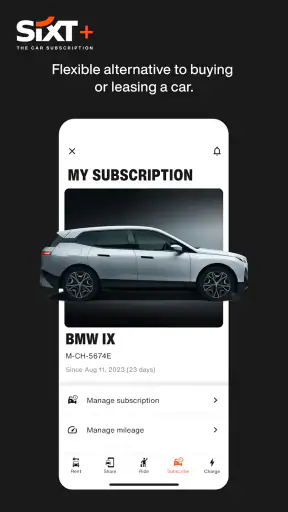
The most interesting part of the app is the ability to think in combinations. A car subscription may make sense for someone who needs ongoing access, while a short rental is better for a defined holiday and a taxi is better for an isolated transfer. These are not interchangeable products, and I would not choose a subscription simply because it appears beside a one-day rental.
My rule is to match the commitment to the uncertainty of the plan. If I know exactly when I need the car and where it will go, a rental is easier to evaluate. If my transport needs are spread over a longer period, I investigate the subscription terms carefully. If I only need to be taken somewhere, driving myself adds work that a taxi removes. The app helps present these paths together, but I still have to make the judgement.
Where the app is genuinely convenient
The unified approach is particularly helpful for travellers who move between cities or who do not want separate apps for every transport decision. I can begin with a rental search, reconsider the plan and look at a taxi option without changing the general tool I am using. That reduces the mental overhead of travel planning.
It is also useful for people who are comfortable making arrangements on a phone but do not want to manage a collection of local transport apps. Sixt has a recognisable focus on mobility, and the app’s broad scope makes it suitable for airport trips, business travel, weekend visits and occasional local journeys.
Families may appreciate being able to compare a vehicle with a ride instead of assuming that the cheapest-looking option is best. Business travellers can benefit from keeping different journey types in one place. Someone living in a city might use car sharing occasionally without owning a car, then book a conventional rental for an out-of-town trip.
Limits I noticed in the all-in-one approach
The same breadth that makes the app useful can also make it feel less focused. A person who only wants a simple local taxi may prefer a dedicated taxi service with a narrower workflow. Someone comparing every rental company in a destination may get a broader market view from an independent comparison service. SIXT is most compelling when I value access to its own range of mobility choices, not when I need an impartial catalogue of every possible provider.
Availability is another important limitation. An app can show the options connected to its service, but that does not mean the exact car, branch or ride I want will be available at the ideal time. I avoid leaving important bookings until the last minute, especially around airports or during busy travel periods. When the choice is limited, I compare the location and timing before becoming attached to a particular vehicle category.
There is also a difference between seeing a transport option and understanding the complete commitment behind it. A subscription requires more careful reading than a quick taxi request. A rental requires attention to pickup, return and vehicle suitability. I never treat the first screen as the final decision; I continue through the details until I understand what I am actually arranging.
Who should use it and who may prefer something else
I would recommend the app to people who regularly combine different forms of transport or who want one familiar place for rentals and rides. It is a strong fit for travellers who plan ahead, compare the type of journey they need and are comfortable checking the details of a booking themselves.
I would be more cautious about recommending it to someone who wants the absolute widest comparison across every local provider. It may also be unnecessary for a person who never rents cars and already has a trusted taxi app. Likewise, a traveller who dislikes managing digital bookings should confirm that the pickup process and account setup feel comfortable before relying on the app for an important journey.
The age rating is Everyone, which fits the app’s travel-planning purpose. The download itself is free, but I naturally separate that from the cost of the transport I book. Free installation does not mean a ride or vehicle is free, so I focus on the booking details and the total travel plan rather than the app’s price label.
My verdict after using its full range
My overall impression is that SIXT rent. share. ride. plus. works best as a flexible mobility hub. Its real strength is not one isolated feature; it is the ability to move between rental cars, car sharing, taxis and subscriptions while keeping the planning process in one familiar environment. That is valuable when a trip changes shape or when different days call for different transport.
I get the most from it when I use a repeatable routine: decide what kind of journey I need, verify the exact location, check the vehicle or ride details, review the account settings and keep the reservation information easy to reach. Those habits make the broad selection feel manageable instead of overwhelming.
It is not the perfect answer for every traveller. A dedicated taxi app can be quicker for one simple ride, and a comparison service can be better for surveying the entire rental market. But for someone who wants several mobility choices connected to the Sixt service, the app is a convincing everyday companion. My recommendation is to use it as a planning tool, not just a booking button. That mindset makes its flexibility useful while keeping its limitations visible.


